
For many businesses, legacy Laravel and PHP applications drive core operations day after day. But with growth comes change, and often these systems show their limitations—slow performance, outdated dependencies, security holes, and mounting technical debt. In my 16+ years as a web developer, I've repeatedly seen how a purposeful plan to refresh legacy Laravel code can open new doors to scalability, maintainability, and innovation. In this article, I’ll walk through my approach as both engineer and consultant, so you can see how thoughtful modernization not only reduces business risk but adds fresh value—step by careful step.
Why modernize legacy Laravel code?
When clients approach me about modernizing old Laravel or even custom PHP projects, they’re usually noticing common pain points—not just technical, but business-driven. Here’s what I hear most often:
- Security worries because dependencies haven’t been updated for years
- Slow user experiences or frequent crashes when usage spikes
- Developers struggle to onboard or maintain code they barely understand
- Burdensome compliance audits for aging infrastructure
- Difficulty connecting with new SaaS tools, APIs, or AI-powered components
Based on findings from Princeton University's application modernization program, the trend is clear: older, monolithic PHP systems quickly become business bottlenecks if left behind.
Modernization is about more than code—it's about unlocking flexibility, faster development cycles, lower hosting costs, and the freedom to innovate. That’s why, whether you want to migrate to the latest Laravel or split monoliths into smaller services, the process requires steady planning—something I’ve guided many teams through, from initial analysis to rollout and ongoing support.
Main challenges during Laravel legacy upgrades
If you’ve ever peeked inside a Laravel app from 2015 or a custom PHP site chugging along since the early 2000s, you know: every legacy upgrade comes with surprises. Here’s what I encounter most often:
- Third-party packages that no longer work or are abandoned by their maintainers
- Inconsistent coding standards, making sections of the codebase hard to read or trust
- Homemade integrations with payments, CRMs, or inventory software
- Fragile database schemas and legacy data formats
- Non-existent or broken automated tests
- Old Laravel versions that lack modern features or security
A detailed review of legacy-system modernization strategies by Carnegie Mellon University’s Software Engineering Institute shows multiple approaches—from incremental wrapping to full component replacement. For my clients, I often advocate for a phased approach that manages risk while clearing the path for new features and better reliability.
"Don’t rip and replace without a roadmap."
Step-by-step migration process
Over the years, I’ve developed a clear step-by-step model for upgrading Laravel and PHP legacy applications. My approach keeps business operations running smoothly while achieving technical and architectural goals. Here’s how I guide clients through the journey:
1. Assess and map your legacy system
First, I take time to fully map what’s in place. This includes analyzing:
- Which Laravel version is in use and how old it is
- Key third-party dependencies and their update histories
- Main application features and business logic
- Database structure and legacy data issues
- Integration points with external systems
- The current workflow for developers (including deployment and testing)
I’ve found that this phase is the best moment to identify not just code issues, but also forgotten business rules and redundant features.
2. Set project priorities and define success criteria
With the system mapped, I work with stakeholders to prioritize what matters:
- Is business continuity more urgent than speed of modernization?
- Are there security or compliance deadlines?
- Which features (or technical debt) can be retired?
- What is the end goal: latest Laravel, microservices, cloud-based, or all of these?
This helps us craft a measured plan that balances business gains with technical improvements—never sacrificing what makes the application valuable or unique.
3. Prepare local and staging environments
Before changing a single line, I replicate the application in dedicated local and staging environments. This guarantees safe, isolated testing for every migration step, and it’s where I set up automated backups, so there’s always a way to roll back if something breaks.
4. Update dependencies and PHP version
Once backups are secure, my first technical move is to upgrade PHP to a supported version that matches the Laravel target. I update Composer dependencies in small increments—usually bumping up Laravel one or two versions at a time, checking that tests and critical features still work after every step.
Modern PHP versions dramatically boost performance and unlock better language features.
5. Refactor legacy code with automation tools
Manual refactoring takes time, so I introduce tools like Rector PHP to automate where possible. Rector scans the codebase for deprecated syntax, outdated patterns, and offers automatic upgrades to align with newer Laravel conventions. In my projects, I always follow automation with careful code reviews to catch personalization or business logic that tools might miss.
6. Clean obsolete code and modularize
Many old Laravel projects accumulate unused controllers, views, or configs. I carefully remove obsolete modules, then reorganize code to follow modern modular structures—helping make the application more maintainable and easier to split into microservices or separate domains in the future. For some clients, we use this step to introduce modern architectural patterns or separate the business logic into service layers.
For further ideas about structuring modern Laravel solutions, I recommend reading my recently published guide to scalable Laravel apps and thinking about how modular design can make ongoing improvements faster and safer.
7. Database migrations and adapting schema
Database evolution remains one of the thorniest challenges in legacy projects. I plan schema migrations in small, reversible steps, always starting with non-breaking changes:
- Back up the existing database before each change
- Write migration scripts for new fields, tables, and indexes
- Test migrations in staging environments using representative datasets
- Adjust models, Eloquent relationships, and queries to follow updated schema
Careful database migration—made safe through staging and rollback strategy—is the backbone of a reliable upgrade.
8. Update sessions, authentication, and views
Older Laravel projects often use session drivers or authentication logic that’s become insecure. I encourage clients to migrate session handling to Laravel’s latest drivers (like Redis or secure cookies), rebuild authentication workflows with Laravel’s guards, and update any custom middlewares. Views sometimes depend on Blade syntax that’s now deprecated, so I review and refresh all templates and assets as well.
9. Automated and manual testing
Testing is not optional. Where legacy projects lack existing tests, I add coverage for business-critical paths. This includes feature, unit, and integration tests. We follow migration with multiple testing cycles: automated CI, user acceptance, and simulations that mimic real-world traffic patterns—sometimes revealing odd bugs early, before they reach production.
If you’re ready to make automated testing a focus, I offer advice on tooling and workflow in my consulting guide for Laravel development. This is also the best stage for stress tests to make sure new versions keep pace with actual user needs.
10. Production rollout and ongoing monitoring
After successful staging and user acceptance, production launch is carefully managed—never on a Friday, and always with thorough monitoring (system logs, uptime, error tracking) in place. I work alongside business teams to ensure a positive transition. And afterward, we schedule periodic code reviews to avoid future legacy build-up and encourage the adoption of new Laravel upgrades as they’re released.
When to break the monolith?
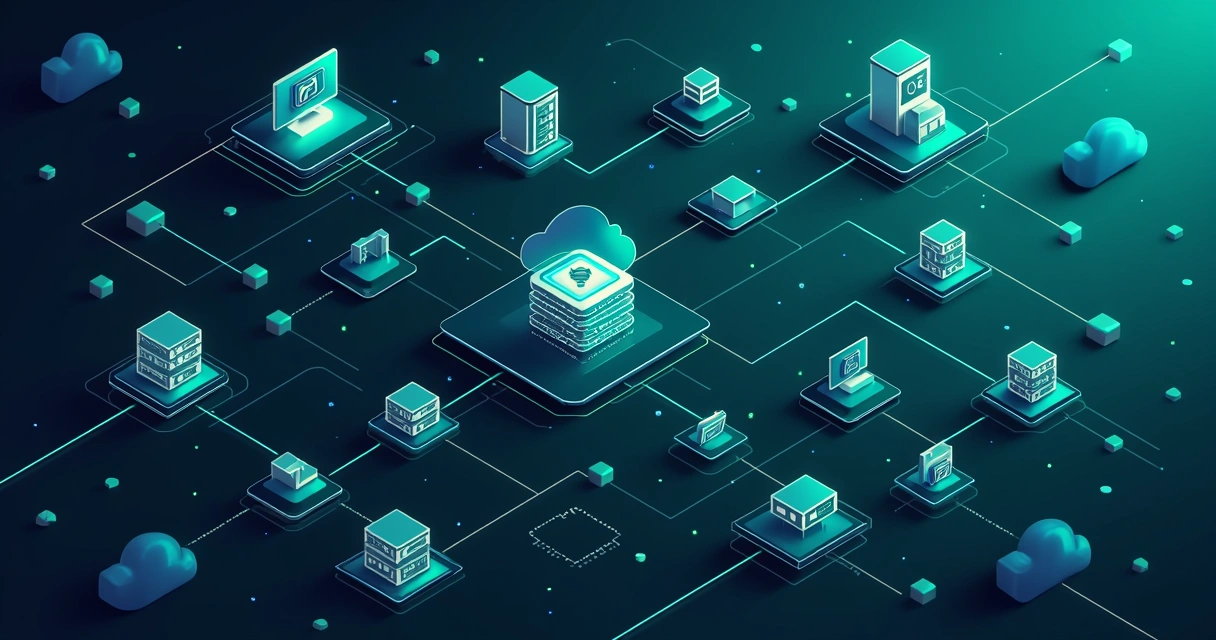
Sometimes, improving code quality isn’t enough. As a consultant, I often discuss whether it makes sense to break a monolithic application into smaller, loosely coupled services—often microservices. If your business is growing fast or if your code runs into performance bottlenecks, this approach can offer clear gains:
- Teams work in parallel on different features
- Faults in one service don’t break the whole platform
- Easier scaling—allocate resources only where you need them
- Smoother integration with new technologies like AI, analytics, or third-party SaaS
You can read more about these approaches, and decide which works for your organization, in my guide on building modern and scalable Laravel apps.
Best practices for lasting maintainability
Modernization isn’t a one-off project. Sustained maintainability needs culture, discipline, and the right tools:
- Write clear code, favoring readability over cleverness
- Document business logic, not just APIs
- Audit dependencies regularly and update proactively
- Use continuous integration/continuous deployment workflows
- Establish strong automated test coverage for all new features
- Encourage knowledge sharing and regular team reviews
- Stay current with official Laravel documentation and security advisories
For ongoing support, I provide clients with custom Laravel development services designed around real business needs. You can find more at my custom Laravel solutions page.
Client stories: successful legacy modernization
I want to share a recent example that highlights the lasting value of my approach. An e-commerce company running a decade-old Laravel system faced repeated downtime, data breaches, and slow feature rollouts. By working together, we developed a stepwise migration to Laravel 10, integrated automated testing, and split out payment API handling as a microservice. The result?
- Page load times dropped from 4 seconds to under 800 milliseconds
- Average time to deploy new features fell from weeks to days
- Zero security incidents since transition
- Lower operational costs thanks to streamlined automation and updated cloud hosting
I’ve seen similar results for clients in finance, healthcare, and SaaS, whether starting with custom PHP or outdated Laravel.
"Legacy code isn’t a liability. With the right process, it becomes your launchpad to rapid innovation."
Advice for moving forward
If you’re facing the pressure of outdated Laravel systems or unwieldy PHP code, you’re not alone. Most organizations benefit from a step-by-step process—balancing technical fixes with business goals, keeping risk low, and focusing on continuous gains. My role is to guide you through every stage, ensuring both safety and measurable progress.
For a deeper look at Laravel migration best practices and what’s coming next, I highly recommend my article on Laravel’s future trends, tools, and migration tips.
Curious about how your own application could be modernized—quickly, safely, and with an eye toward your real-world needs? Reach out to discuss your project or request a code audit at Adriano Junior. Together, we’ll turn legacy into lasting value.
Frequently asked questions
What is Laravel legacy code modernization?
Laravel legacy code modernization is the process of upgrading, improving, or restructuring older Laravel or custom PHP applications to use current frameworks, best practices, and secure, maintainable technology stacks. It targets technical debt, security vulnerabilities, and business requirements, helping organizations keep pace with new demands and tech standards.
How to start migrating old Laravel projects?
Start by analyzing your current application: list dependencies, identify outdated features, map database schemas, and set clear business goals. Prepare backups and local environments before incrementally updating PHP, Laravel, and third-party packages, combining automated refactoring with code reviews and thorough testing at every phase.
Is it worth updating legacy Laravel code?
Yes, modernizing legacy Laravel is an investment in future reliability, security, and innovation capacity. Updated codebases attract developers, reduce operational risks, speed feature deployment, and integrate more easily with modern tools or cloud platforms.
What are common challenges in Laravel migration?
Common obstacles include broken or abandoned dependencies, outmoded PHP functions, database schema differences, missing documentation, and features built with deprecated Laravel components. Prioritizing a phased upgrade, using automation tools, and focusing on automated tests minimizes these risks and keeps migration controlled.
How long does Laravel code modernization take?
Migration timelines vary by project scope, codebase complexity, and business needs. For medium-size Laravel apps, a full migration can take from a few weeks to several months, depending on level of automation, the need for architectural changes, and integration with third-party systems.