
If you own, manage, or rely on a website for your business, you’ve likely felt the tug of uncertainty. What needs to be updated? How often should I check for problems? Is my customer data secure? Can I really handle this all myself? Over my 16 years as a developer, I’ve had countless conversations with business owners, entrepreneurs, and digital nomads wrestling with these questions. I know that proper site care can feel intimidating, but I can also promise the results are worth every moment you invest.
Website maintenance and updates are not the kinds of tasks you can treat as a once-a-year checklist item. The costs of inaction are higher than ever: digital threats, performance issues, missed sales, and a weaker search ranking can quietly undermine all the hard work you put into your brand.
The best websites never stand still.
I wrote this guide with a sharp focus on pragmatic, actionable advice—whether you handle the basics yourself or need a professional like me, Adriano Junior, to deliver expert results. Here you’ll find real strategies, a clear approach to risk management, automation tools that actually make life easier, and insights tailored for the fast-paced demands of 2026. My hope is that by the last section, you’ll see both the big picture and the next steps that will keep your digital presence strong.
Why site maintenance matters more than ever
Today’s online environment changes quickly. It’s not only about security—although I’ll soon show you why that alone justifies regular attention. It’s about speed, user trust, accessibility, and your place in search ranking. Let’s take a glance at why these updates aren’t just helpful—they’re a requirement for modern websites.
- Security threats keep growing. The FBI’s Internet Crime Complaint Center reported over 800,000 complaints in 2022, with losses above $10 billion (FBI's latest statistics). Cybercriminals often target outdated plugins, weak admin passwords, or missing security patches.
- Search engines reward freshness. Google’s algorithms rate updated, accurate websites higher. Missed updates mean fewer visitors, lower conversions, and wasted advertising spend.
- User expectations are higher. Slow sites, broken links, or outdated layouts hurt credibility. People expect responsive design, mobile-friendliness, and flawless performance.
- Legal and accessibility standards. Many countries now require that sites comply with accessibility guidelines (such as WCAG). Neglect can mean not only lost customers but legal trouble.
In my experience working with businesses across continents, small tweaks and regular checks always reduce headaches in the long run. If you don’t protect your site, you risk losing the hard-earned trust of clients who may never return.
The foundation: security updates, patches, and staying safe
There’s no way around it: keeping your site’s core software and plugins updated is the single most effective way to reduce vulnerability to attack. The weakest point of most hacked websites is a missing update. Whether your site runs on PHP, JavaScript, or a CMS like WordPress, updates aren’t optional.
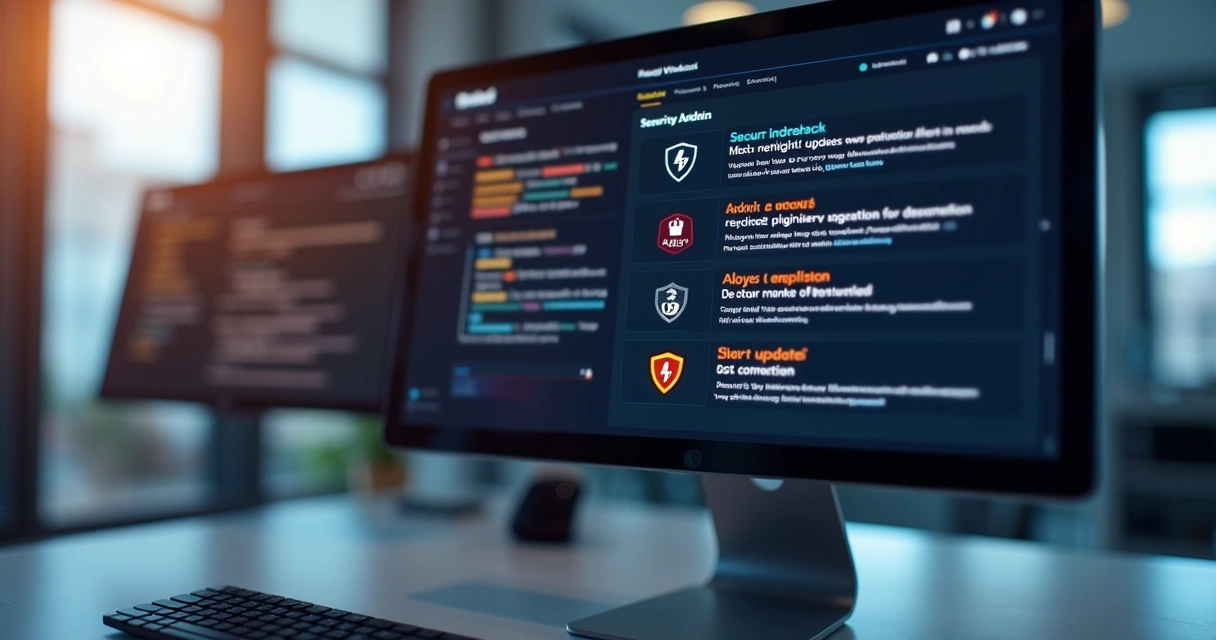
In 2022 alone, cyberattacks led to alarming financial losses and business disruptions. From my own perspective as a full-stack engineer, neglected plugins and old code are like leaving your front doors unlocked.
Here’s how I tighten the defenses for every project:
- Auto-update core software wherever possible. Most platforms now allow for automatic installation of minor security patches.
- Manual review of major upgrades. Every few months, I assess whether major updates or new versions introduce breaking changes, and I always test them on a staging environment first.
- Deactivate or remove unused plugins. If you’re not using a piece of code, it’s likely unmonitored—and that’s risky.
- Apply the principle of least privilege with user roles. Only give admin controls to trusted, well-trained individuals. The University of Washington’s recommendations for user access, password policies, and regular backups offer a good reference (UW’s website security best practices).
- Strong password policies. Encourage use of password managers, two-factor authentication, and regular changes to admin credentials.
- Real-time security scanning and anomaly detection. Tools that review for unusual traffic or code changes can stop a problem early. In fact, anomaly behavior analysis boasts a 99% detection rate for malicious HTML (University of Arizona study on anomaly detection), making it a smart investment for peace of mind.
- SSL certificates and HTTPS enforcement. Browsers mark non-secure sites as risky, and users notice.
As a freelancer, I build and maintain every project with measurable security standards. Larger agencies may promise similar coverage, but the personalized oversight and 24/7 availability I offer clients is a level above what you’ll find as the norm. I take security personally, protecting your site like it was my own.
Performance: speed, uptime, and the hidden cost of slow sites
Every millisecond counts. Amazon once calculated that a one-second delay could cost them billions in lost sales. While your project might not be that size yet, the lesson applies: slow pages cost you visitors and revenue.
When I look at client websites for the first time, I usually find:
- Outdated scripts causing sluggishness.
- Images that aren’t compressed for web use.
- Stylesheets or JavaScript files loading out of order or in duplicate.
- No use of caching or content delivery networks (CDNs).
- Too many third-party tracking codes slowing down connections.
With every new project, I run detailed speed audits. For example, if I see pages loading in more than two seconds, there’s usually a stack of causes—not just one. The outcome of tuning these issues isn’t just a smoother user experience: it’s better ranking in Google, lower hosting costs, and a measurable uptick in conversions.
For those running e-commerce shops, slowdowns at checkout are the difference between a happy customer and an abandoned cart. And with the surge in mobile browsing, unoptimized mobile performance can quietly drive away more than half your audience.
Backups: the quiet hero of disaster recovery
It’s easy to forget backups—until disaster strikes. In my early days, I was called into to rescue several businesses whose data vanished overnight. Once, a small retailer lost two years of customer orders after a failed server patch. They had no backups. If you take nothing else from this section, hear this:
A single, reliable backup can save your business.
What’s the right process to keep data safe?
- Automate daily backups of both files and databases.
- Store copies off-site or in the cloud. Services like AWS S3 or Google Cloud Storage are ideal for long-term retention and quick retrieval.
- Test restore at least once every quarter. A backup that can’t be restored isn’t worth much.
- Keep at least one extra backup before any major update or redesign.
- Set up notifications for failed backups. You want to know if something goes wrong, immediately.
For peace of mind, I add backup procedures at the start of every project. If you’re using a managed hosting provider, check their retention schedules and do not rely solely on them—especially for mission-critical sites. I always include thorough backup options as part of my ongoing services, something that sets me apart from larger, “hands-off” competitors.
Content: keeping information current is a revenue driver
Content isn’t just about SEO. Fresh, accurate, and timely updates show your audience you’re active and reliable. Old prices, event details, or expired promotions can turn away ready-to-buy users.

Here’s what I recommend for content management:
- Review and refresh landing pages every few months to stay aligned with your business goals.
- Update blogs with relevant, keyword-rich articles (for guidance on responsive content, see this modern responsive web design guide).
- Remove outdated offers and clean up expired links to avoid visitor confusion.
- Integrate seasonal or trend-driven updates—these yield spikes in engagement.
- Use analytics tools to see what pages lose popularity, then refresh content there first.
When I work with clients, I often find that a few focused content changes—revision of calls to action, updated team members, or new FAQs—can have an outsized impact. My process typically includes quarterly content audits to identify easy wins.
SEO improvement as a byproduct of good maintenance
Many sites lose search ranking not because of content quality, but because of technical missteps. Here’s how routine care moves the SEO needle:
- Fixing broken links and 404 errors. These frustrate both users and search engines.
- Keeping sitemaps and robots.txt current. These files help Google and Bing properly index your pages.
- Catching indexation errors in Search Console or Bing Webmaster Tools.
- Ensuring that page speed and mobile usability remain high.
- Encouraging schema markup for events, products, or reviews.
As a developer with deep SEO skills, I blend maintenance and optimization. Many general web firms or “template” providers can’t match that level of integrated care, nor do they do proactive monitoring of Google Search Console for new issues.
If you’re interested in designing your site to be SEO-ready from the start, my website redesign strategies cover modern growth tactics tailored to 2026.
Experience matters: UX, usability, and accessibility
Your site’s success often comes down to how real people experience it. That means doing more than just correcting typos or swapping out banner images. Accessibility and user experience (UX) are at the heart of my update process.

Here’s my approach, influenced by user feedback and usability studies:
- Conduct regular UX audits—at least once per quarter.
- Check all key workflows on both desktop and mobile. For a deep dive into mobile-ready design, see my guide to mobile-friendly practices for 2026.
- Test screen reader and keyboard navigation. Every brand gains trust when everyone can use their digital properties.
- Flag any inconsistencies in fonts, layouts, or brand elements. Consistency breeds trust.
- Solicit direct user feedback about confusing sections, then prioritize changes accordingly.
I believe that accessibility isn’t a luxury—it’s a must. Many agencies skip these steps, leading to costly fixes later. My clients stay ahead of the curve, minimizing risk and building a reputation for being easy to work with.
The ideal maintenance schedule in 2026
After years of trial and adjustment, I have found that a rhythm combining weekly, monthly, and quarterly tasks leads to the best results. Waiting until “something breaks” almost always costs more than acting early.
- Weekly tasks: Security and plugin updates, quick backup review, review support tickets or bug reports, and ensure uptime monitoring is green.
- Monthly: Test full site speed and performance, review content calendar, scan for broken links, update promotions.
- Quarterly: Full UX and accessibility audit, restore a backup to test, review analytics for new opportunities, and check against new industry regulations.
Some firms promise “set-and-forget” solutions, but in reality, this cadence ensures nothing slips through the cracks. My maintenance plans are clear, transparent, and tailored for your business—not a one-size-fits-all approach you may see with larger competitors.
If you plan a complete overhaul every few years, my modernization guide provides clarity on the steps to reinvent your online presence.
How to know when you need professional help
Some issues are within anyone’s reach: changing text on a page or uploading a new product image. But in my professional experience, recurring headaches (or security scares) deserve expert attention. Watch for these signs:
- Frequent malware warnings or unfamiliar content appearing overnight.
- Pages or checkout not loading reliably.
- Strange dips in traffic, ranking, or sales without an obvious cause.
- Uncertainty about how to reverse a bad update or restore from backup.
- High staff turnover or multiple people editing code without clear roles.
- Unfulfilled compliance requirements or legal threats over accessibility.
When any of these happen, it’s time to call in a specialist. Many agencies offer large contracts and slow response times. In contrast, I provide hands-on care, rapid communication, and cost-effective solutions that fit your pace—not just a cookie-cutter service bundle.
Must-have tools for monitoring, automation, and analytics
Most business owners don’t want to live in their dashboards, nor should they. Here’s what I rely on to streamline the essentials and free up your time:
- Uptime monitoring: Tools like UptimeRobot or Pingdom send instant alerts if your site goes offline, helping to catch issues before customers notice.
- Performance tracking: Google PageSpeed Insights, WebPageTest, and Lighthouse identify and rank areas for improvement.
- Backup automation software: For WordPress, UpdraftPlus or BlogVault are robust; for custom stacks, scripts leveraging cloud storage or git versioning work well.
- SEO monitoring: Google Search Console paired with manual audits brings you data about trouble spots, index issues, and crawl errors.
- Security scanning: Sucuri and Wordfence offer honest overviews, but in my workflow, I deploy custom monitoring scripts to check files for suspicious changes, aligning with the high detection rates found by advanced anomaly analysis research.
- Analytics and user snapshots: GA4 and privacy-first session replay tools uncover new insights into how visitors act on your site.
The trick isn’t in the number of tools, but how they’re used. I integrate notification systems so you hear about only what truly matters, saving you from alert fatigue. If you’d rather focus on your business and let someone else filter the noise, that’s exactly the type of worry-free support I supply as your freelance partner.
The ROI of proactive maintenance: security, speed, and peace of mind
It’s worth asking: what’s the return on all this attention? Are you just paying to prevent invisible issues, or is there a measurable gain?
- Reduced risk of catastrophic loss. With regular updates and tested backups, you avoid the nightmare scenario of lost sales, legal trouble, or brand damage.
- Higher search rankings. Fast, up-to-date sites consistently rank better for important keywords, lowering your paid advertising costs.
- Improved customer engagement and conversions. People stay longer and buy more from reliable sites.
- Lower long-term costs. Small, regular investments are always cheaper than a single emergency rescue or full code rebuild.
Proactive maintenance isn’t an expense—it’s a profitable strategy.
In real-world terms, the businesses I support typically see fewer outages, positive user feedback, and more predictable revenue. I measure my performance by how reliably your website supports your success.
Step-by-step maintenance: what I do for clients
Every business is unique, but my approach always includes these steps:
- Initial audit and risk assessment. I map out both the technical stack and the business priorities. You get a list of recommendations and quick wins.
- Set up automated backups, alerts, and update cycles.
- Implement regular performance and UX checks.
- Deploy security tools and schedule manual code review.
- Make content management easier. That might mean simplifying your CMS, creating better workflows, or automating routine updates.
- Clear, ongoing communication about issues and improvements. You’ll hear from me on a regular schedule—not just when things go wrong.
- After each major round, I share a quick summary and next steps, so you’re never guessing what was fixed or where the value lies.
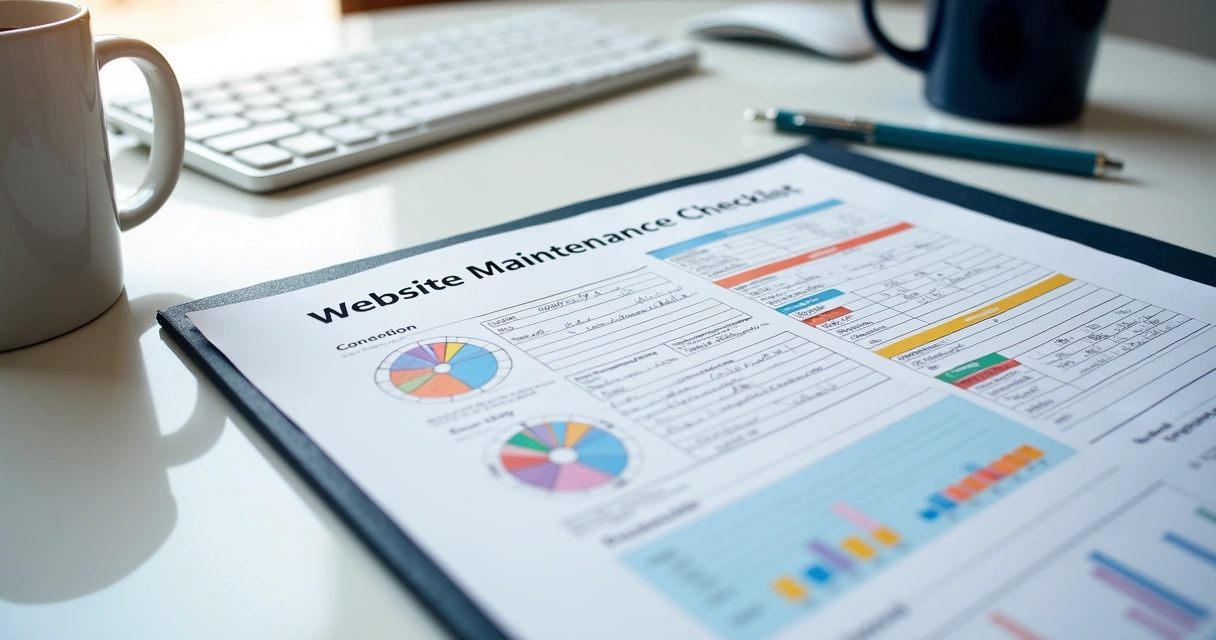
What separates my services from one-size-fits-all providers is not just experience, but flexibility and transparency. If you want clarity, quick response, and skills backed by real results, you’re in the right place.
Costs, pricing models, and finding value in updates
Pricing for ongoing site maintenance depends a great deal on the complexity of your platform, your traffic volume, and how much you want to automate versus handle manually. I’ve seen clients overpay for “all inclusive” agency packages but then struggle to get small fixes completed on time.
Here’s how I structure maintenance agreements:
- Hourly troubleshooting for one-off issues. Perfect for bug fixes or new features.
- Flat monthly packages for preventive support, updates, and monitoring. Tailored to your unique needs and risk profile.
- Project-based agreements for larger upgrades or redesigns.
For a breakdown of costs you might expect when building or refreshing your website, my cost guide for 2026 is a solid first step. The main idea: great maintenance saves money by preventing problems. Your investment is mirrored back in uptime, customer satisfaction, and freedom from technical surprises.
Integrating AI into your maintenance ecosystem
Artificial intelligence isn’t a buzzword anymore; it’s central to modern site care. I leverage AI in several ways, always with the end goal of minimizing disruptions and speeding up response times.
- Monitoring logs for unusual activity: AI tools recognize patterns far faster than manual checks, pinpointing suspicious logins or failed updates.
- Content recommendations: AI can suggest which outdated sections need your attention, or which blog topics will bring better visitor engagement.
- Automating user testing: Bots simulate visitor behavior to flag slow or broken elements you might miss.
With my background in AI development, I bring these innovations to even small businesses—advantages you won’t usually find from big agencies focused only on mass-market solutions. One of my commitments as Adriano Junior is using custom tools to put you ahead of the competition.
Getting started: what you should do next
If you’re just beginning with regular maintenance, my advice is to start with the basics: backups, security patches, and a review of your website analytics. Simple actions yield quick wins. As your comfort grows, more complex features (like AI integration or custom workflow automations) offer further benefits.
You don’t have to figure this out by yourself. Whether you need a single consultation or long-term managed care, I provide the attention to detail and forward-thinking approach your business needs. Talk to me, and we’ll develop a practical maintenance plan that fits both your budget and your growth ambitions.
Conclusion: regular updates unlock long-term results
Website maintenance and updates aren’t just about avoiding trouble—they’re about building trust and growing faster. In 2026, your site’s first impression, speed, and reliability decide whether a new visitor becomes a devoted customer. My experience, flexibility, and technical depth make Adriano Junior a standout choice for businesses that demand more than the basics.
I encourage you to reach out for a tailored plan, whether you need proactive coverage, quick issue resolution, or insight on how AI can boost your site’s long-term value. Your digital presence deserves attentive, expert care. Let’s make your site a standout performer—now and for years to come.
Frequently asked questions
What is website maintenance and why important?
Website maintenance is the ongoing process of keeping your website secure, current, and functional. It covers software updates, bug fixes, content revisions, and checks for usability and accessibility. Keeping your site maintained safeguards your investment, reduces the risk of cyberattacks, and helps you win the trust of both users and search engines.
How often should I update my website?
I recommend running security checks and applying software updates weekly. Performance audits and content refreshes should happen monthly, with deeper usability and backup restore tests each quarter. A regular schedule keeps your site healthy and secures its long-term value.
What tasks are included in website maintenance?
Maintenance covers security patching, performance monitoring, bug repairs, backups, content changes, checking for broken links, SEO optimization, and reviewing accessibility. For a bigger picture, I also suggest periodic UX audits and integrating automation tools for efficiency. Each of these ensures your site stays robust, fast, and trustworthy for users.
How much does website maintenance cost?
Costs vary based on site complexity and expected traffic. Some tasks, like simple updates, may cost little if done in-house, while comprehensive plans with monitoring and troubleshooting generally start from a modest monthly fee. The investment typically returns much more in reduced downtime and customer retention. For clarity on costs, I invite you to see my detailed cost breakdown from my guide on website cost in 2026.
Is it worth it to hire a maintenance service?
Absolutely. Hiring a professional like myself brings expertise, accountability, rapid response, and peace of mind that your site receives the care it deserves. Instead of chasing down issues or risking downtime, you focus on running your business. Compared to the generic approach of larger agencies, my freelance services deliver speed, adaptability, and personal commitment you won’t find elsewhere.