
In today’s digital world, the conversation around private data, user trust, and hacking never seems to fade. As someone who’s spent over 16 years building complex web solutions for clients globally and living as a digital nomad, I see the need for robust web application security every week. Attacks are not just growing—they are evolving. If you build a modern application without strong defenses, you put customers, revenue, and reputation at risk. Throughout this guide, I’ll walk you through modern, practical approaches to protect your site against current threats, based on my experience and the proven methods I use for my clients at Adriano Junior.
Why website security matters today
Years ago, website security was often an afterthought. Many small-to-medium businesses hoped their sites would escape notice. That mindset no longer works. New cyber attacks appear daily, targeting not only large enterprises but also freelance-built projects, independent businesses, and startups. According to a 2023 report from MIT Sloan, data breaches rose nearly 20% in the first nine months of 2023 compared to all of 2022, with ransomware attacks climbing by 70%. No organization is “too small” to escape notice.
I’ve worked with founders who believed it couldn’t happen to them—until a malicious actor found a small weakness, costing days or even weeks of recovery. That’s why I put secure site practices at the heart of my work, especially in services like custom web application development and technical consulting.
What is secure website development?
At its core, building secure web apps means creating digital experiences that protect information from theft, manipulation, or exposure. This covers private user data, business secrets, and critical application logic. In practical terms, security-driven development should:
- Guard users’ personal and financial details at every layer
- Prevent attackers from tampering with code, sessions, or user actions
- Detect, minimize, and respond to vulnerabilities quickly
Doing the above is not just about ticking boxes or following checklists. It is a commitment—a culture—that must be woven into every project from the start. I consistently promote this mindset with my clients because, from the very first line of code, you decide how safe your users and business will be.
Understanding common threats and attack vectors
To secure an application, you have to know what you’re up against. In my work across PHP, JavaScript, AWS, and other stacks, I often refer to the OWASP Top Ten—a respected list of today’s leading web risks. There are many threats, but I’ll break down the big ones and moments when I’ve seen them strike.
Cross-site scripting (XSS)
XSS allows attackers to inject rogue scripts into web pages that other users then load. Imagine a comment section on a blog where someone sneaks in JavaScript. Suddenly, visitors’ cookies or sensitive data are at risk. The main cause is improper handling of user-supplied content in web pages. I’ve seen this on sites from beginner portfolios to enterprise dashboards—if you’re not escaping and sanitizing user input, you’re opening the door.
SQL injection
One of the oldest, yet still common, attacks. If data-handling code doesn’t properly prepare database queries, hackers can insert their own commands. I recall auditing a business app where a login screen would allow queries like OR '1'='1' to bypass checks. Serious breaches often result.
Cross-site request forgery (CSRF)
With CSRF, attackers trick logged-in users into performing unwanted actions, like changing emails or passwords without consent. I once consulted on a form submission platform that lacked CSRF tokens. By exploiting a simple flaw, someone could impersonate genuine users, causing real harm. Consistent use of anti-CSRF tokens can stop this risk cold.
Distributed denial of service (DDoS)
DDoS attacks try to overwhelm your app’s resources, usually by flooding it with traffic. I remember when a client’s e-commerce site was targeted—a sudden spike crippled their cart and checkout. All business stopped for hours. Preparedness with rate limiting and cloud mitigations is key in such situations.
- Broken authentication (weak login and session controls)
- Sensitive data exposure (unencrypted info in transit or storage)
- Security misconfiguration (default settings, open S3 buckets, etc.)
While OWASP lists a few more, these are the issues I address first, especially when developing websites for startups and scaling SaaS businesses with custom needs.
Key principles for building security-first websites
After years in the field, I believe that security is not a “feature” to slap on at the end. It is a set of habits, tools, and automated checks—applied at every stage of design, coding, and deployment.
Security is a continuous process, not a one-time patch.
Here is the approach I follow and recommend for clients serious about protecting their users and brand.
1. Input validation and data sanitization
Most breaches start when apps trust data from users, APIs, or uploaded files. I always ensure input is validated for type, size, and format, both on the client and server side. Sanitization removes suspicious or unexpected characters before saving or displaying data.
- Whitelist known-good values (never blacklist known-bad ones)
- Use built-in library functions for validation (e.g., filter_var in PHP)
- Always encode/escape user content before rendering it in HTML, JavaScript, or SQL
2. Encrypted connections and HTTPS
All websites must serve content over HTTPS. This protects traffic from eavesdropping or modification as it moves between browsers and your server. I recall a SaaS platform where login forms still used HTTP; users’ passwords were visible to anyone on the same Wi-Fi. Today, let’s encrypt SSL certificates are free and easy to set up. There’s no reason to skip this basic step.
3. Strong authentication and access control
Software must make sure that users are who they say they are—and only see what they are supposed to. In my solutions, I encourage:
- Multi-factor authentication for admin and privileged users
- Short, unique password requirements
- Session timeouts and device recognition
- Role-based access, locking down sensitive endpoints
These layers stop both outside hackers and insider mistakes that could give away private data. I apply these with Laravel and AWS IAM for many clients. If you want to know how I build secure logins in modern PHP frameworks, my Laravel development services page has more.
4. Encryption in storage and transit
Data should be unreadable to everyone except the right user or process. That means:
- Using SSL/TLS for all network exchanges
- Encrypting sensitive database fields (credit cards, IDs, etc.) with strong algorithms like AES-256
- Hashing passwords with bcrypt or Argon2, never storing them plain
5. Secure development lifecycle (SDLC) practices
Instead of “testing security at the end,” I use practices from the secure development lifecycle at every stage. That means:
- Threat modeling and risk assessment when new features are planned
- Regular code reviews with a focus on security patterns
- Automated testing of edge cases and unusual input
I always compare this workflow to the big consulting firms, but as a solo senior engineer, I keep things agile and tailored to each client.
6. Automated testing and static code analysis
Manual checks catch a lot, but automation does the tedious work reliably. I run tools that:
- Scan code for insecure patterns before and after deployment
- Check for known vulnerabilities in dependencies (npm, Composer, pip, etc.)
- Test web apps for common exploits (using tools like OWASP ZAP and SonarQube)
Automated testing gives confidence that every update won’t break your defense.
7. Secure session management
Sessions track logged-in users. If managed poorly, they become entry points for attackers. I always:
- Generate unpredictable session IDs
- Set HTTPOnly and Secure flags on cookies
- Limit session lifetimes to reasonable periods
These actions reduce hijacking risks, especially for finance, health, and user-centric sites.
8. Timely patch management and dependency scanning
Popular libraries and platforms like WordPress, Laravel, or Node get security fixes regularly. If you delay updates, attackers can strike. I apply automated monitoring tools that alert me when something needs attention.
- Keep libraries up to date using Composer, npm audits, etc.
- Monitor public vulnerability databases for new risks
- Apply patches with minimum delay, especially for high-risk systems
9. Continuous monitoring and logging
It’s not enough to set rules and hope for the best. Modern security means:
- Real-time alerts for suspicious activity (multiple failed logins, odd admin actions, etc.)
- Comprehensive logging of events, with no sensitive info in the logs
- Centralized dashboards (AWS CloudWatch, Sentry, etc.) for quick response
This approach means that if something does break through, you detect it fast, not weeks later.
10. Ongoing education for development teams
Threats do not stand still. New techniques go viral on developer forums or in underground communities. I work with clients to keep their engineers up-to-date on current risks, new standards, and the best ways to spot them.
- Regular training sessions or short “show and tell” meetings
- Knowledge sharing about recent threats/shifts (like AI-driven attacks)
- Refresher videos or docs when onboarding new developers
Security is a moving target. I keep evolving by reading industry reports, responding to incidents, and sharing war stories with peers. It is why my freelance practice brings more than just technical skills—I am invested in keeping each project safe, long after delivery.
Typical pitfalls and how I solve them
In my consulting work, I often review applications built by other developers—sometimes even big-name agencies. There are recurring mistakes that lead to most breaches, which I address proactively:
- Leaving default admin credentials unchanged (e.g.,
admin/admin) - Hard-coding API keys or passwords into public code repositories
- Wide-open CORS policies, leaking sensitive endpoints to outside scripts
- Relying on security through obscurity, instead of real checks
- Ignoring security headers like Content Security Policy or X-Frame-Options
I cover these in all my security reviews and remediation plans. This also means that when clients hire me for enterprise web application development, they aren’t left with a “compliance checkbox”—they get real protection, designed for today’s threat landscape.

The role of frameworks, libraries, and cloud tools
A lot of modern security is built into the tools I use, such as Laravel for PHP, or AWS infrastructure. But relying blindly on frameworks isn’t a guarantee. Developers need to know which features to turn on, and which defaults to replace.
- Enabling CSRF and XSS protections present in Laravel by default
- Turning on AWS Shield or Web Application Firewall for cloud security
- Hardening Docker images and serverless functions
Custom solutions demand careful selection and configuration. It’s not enough to say, “the framework handles it.” I go several steps further, running custom penetration tests and validating end-to-end flows after setup. That is the personalized assurance I provide at Adriano Junior—combining frameworks with real-world experience.
Example workflow for a secure build
To help you picture the process, here is a typical workflow I use for clients building new applications or modernizing legacy solutions:
- Planning with security in mind: Map user journeys and touchpoints, identifying where sensitive data enters or exits.
- Design reviews: Sketch out access controls, data storage strategies, and logging requirements.
- Development: Apply strict input validation, use HTTPS-by-default stacks, and set up automated security scanners in CI/CD pipelines.
- Testing: Run manual code reviews, fuzz input, and execute penetration tests with tools and real hackers when needed.
- Deployment and monitoring: Enable encrypted backups, monitoring dashboards, and alerts on abnormal usage.
- Ongoing updates: Review dependencies, patch systems, and update the threat model quarterly.
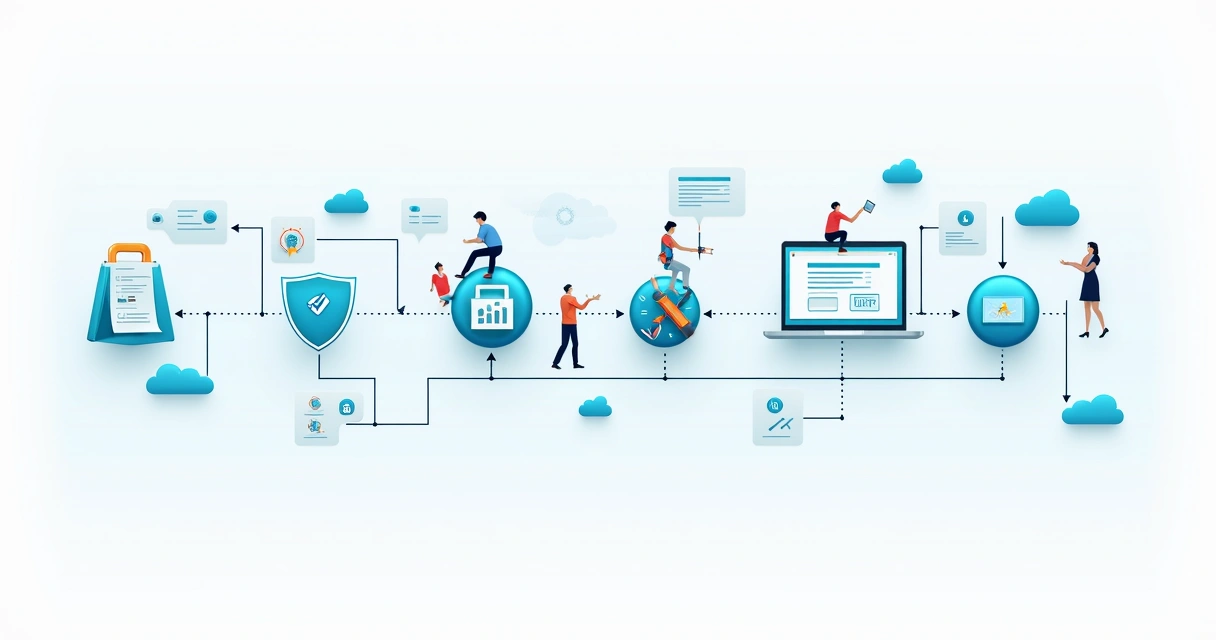
This is not just talk—these are the same steps leading clients to real business outcomes: lower support costs, happier customers, and more confidence on launch day.
Checklist for security-focused development
For those who like actionable steps, here is a brief list to bring into your next build or upgrade. This supports and complements best practices shared in the custom website development services guide as well.
- Enforce HTTPS everywhere, including subdomains
- Validate and sanitize every bit of user input—without exception
- Adopt multi-factor authentication and strong session management
- Apply the principle of least privilege—users get only what they need
- Hash and salt all passwords using proven algorithms
- Use automated scanners for code and dependencies before every release
- Set strict CORS rules and appropriate HTTP security headers
- Encrypt secrets and sensitive data, in storage and transit
- Monitor for vulnerabilities and apply patches immediately
- Organize regular developer training and keep up-to-date with risks
This list is not exhaustive, but applying these strategies will put your site ahead of many in the market. I build each project—for startups, SaaS founders, and enterprises—using this approach, because modern business can’t afford to gamble with trust.
Conclusion: Building—and maintaining—strong defenses
Over my career, I’ve seen website breaches that started with a simple mistake: a forgotten setting, an unpatched plugin, a skipped test. But I’ve also seen incredible success stories where modern security practices let businesses grow, attract bigger clients, and sleep easier at night.
Building applications safely is not about fearing hackers. It’s about protecting what you’ve worked to build, and delivering peace of mind to every user who trusts your service. With the right approach, your site can be both modern and robust against attacks.
If you’re looking for a partner who understands both the technical and practical sides of secure web development—and who can support your business as it grows—reach out to me at Adriano Junior. My services bring proven strategies, up-to-date knowledge, and a personal stake in your project’s security. Let’s build something safe, together.
Frequently asked questions
What is secure website development?
Secure website development means building web applications and sites with protections in place to block unauthorized access, data theft, manipulation, and common cyber attacks from the very beginning of the project lifecycle. This includes strategies such as input validation, encrypted communications, strong access control, and automated security testing. In my work, I see this as developing not only for features, but for safety—so users and businesses can trust the applications we create.
How can I make my website secure?
To enhance your website’s safety, start with encrypted HTTPS connections, always validate and sanitize user input, set up strong authentication processes, and apply least-privilege access controls. Keep all libraries and server systems up to date, use automated code and vulnerability scanners, and monitor activity for suspicious behavior. Training your developers to recognize and address new threats rounds out the approach. If you need guidance, I offer services that cover each of these steps with hands-on expertise for your technology stack.
What are common website security risks?
The most frequent risks include cross-site scripting (XSS), SQL injection, cross-site request forgery (CSRF), DDoS attacks, broken authentication, exposed sensitive data, misconfigured permissions, and outdated dependencies. Each risk targets a different layer of your application, so a layered approach is always best.
Which tools help build secure websites?
Automated code scanners (like SonarQube), dynamic vulnerability testers (such as OWASP ZAP), static analysis tools, CI/CD pipeline plugins for dependency checks, and cloud security dashboards (AWS CloudWatch) all support a strong defense. Used together, these tools catch many common problems early. I combine these with custom code reviews and regular security updates for every client project.
How much does securing a website cost?
The cost can range from adding free tools (like SSL certificates and automated open-source scanners) to investing in professional security services or custom consulting. What matters most is matching the protection level to your business’s risk. A small online shop may need just a few hours of setup; a SaaS platform with sensitive data might require a broader engagement. As an independent consultant, I offer flexible packages and honest estimates based on your specific situation. Securing your website is almost always less costly than recovering from a breach.