
I can still remember my first encounter with an automated service on a website, years before AI-powered conversations became common. It started clumsily. Press 1 for this, 2 for that. Most people, including me, grew frustrated, pining for a real human. Today, however, I see a completely different scenario. Talking to a virtual assistant can feel so natural that, at times, you may not notice you’re not chatting with a person. With more than a decade and a half working with digital solutions and artificial intelligence, like I do at Adriano Junior, I’ve watched conversational robots grow from awkward scripts into sleek problem-solvers. In this article, I’ll walk you through why these digital assistants have become essential supporters of staff and customers—and how they’re changing the way businesses operate.
What is a chatbot? Understanding the basics
A chatbot is a computer program designed to simulate conversation with human users, usually via messaging interfaces, websites, or apps. These conversational tools respond to input in natural language, helping people solve problems, answer questions, or perform tasks. They often sit quietly in the corner of a website, waiting for someone to say “Hello? I need help.” Unlike traditional software that relies on clicking through pages, a conversational agent creates a back-and-forth exchange that feels more personal.
Some businesses use these assistants to guide customers through common service questions. Others deploy them internally to help employees book meeting rooms or fill out HR forms. The range of applications keeps expanding as technology advances and expectations change. In my experience, the most impressive use cases often mix automation with a touch of human oversight.
Automated conversations can feel astonishingly real.
The two main types: Rule-based and AI-powered systems
Not all conversational agents are created equal. Over the years, I’ve worked with two fundamental types:
- Rule-based chatbots: These follow a pre-defined decision tree. They present users with specific choices (“Do you want to schedule an appointment or check account details?”), and respond with predefined scripts. These are simple, fast, and reliable for specific, repeatable tasks.
- AI-powered chatbots (Conversational AI): These use advanced natural language processing (NLP) and machine learning to “understand” more complex queries, even when phrased in various ways. They can learn from interactions, improving over time. Some modern assistants now employ generative AI to offer even more nuanced responses.
I’ve learned that the best type depends on the problem you want to solve. Some companies benefit from a precise, rules-based flow, while others thrive with adaptive, AI-powered conversation partners. There’s no universal solution. In practice, hybrid models combining both approaches are gaining popularity.
 How conversational AI and NLP unlock natural conversation
People expect smooth, responsive interactions—no matter if they’re dealing with a human or a machine. At the heart of this innovation is something deceptively complex: the ability to “understand” language as we use it.
What is conversational AI?
Conversational AI combines language models, machine learning, and pattern recognition to allow computers to process, understand, and generate responses in human language. If you’ve chatted with an online support agent that “gets” what you’re asking for, you’ve likely seen conversational AI in action.
Using sophisticated algorithms, these systems can identify intent (“I want to check my balance”), extract entities (the numbers, names, or dates in a sentence), and then respond appropriately. Over time, they can even adapt, learning from past interactions to offer more relevant answers.
Natural language processing: The real engine
NLP is the foundation. It takes raw text or spoken words, breaks them into components, analyzes meaning, and determines context. When a customer writes, “Can I change my shipping address?” the system parses the question, recognizes the request, and triggers the right workflow.
- Intent recognition: Identifies the purpose of the message.
- Entity extraction: Finds the important details.
- Dialogue management: Decides what to do next—ask a question, provide information, or escalate to a human.
Good conversational AI, powered by NLP, creates interactions that don’t just “feel” real—they solve real problems.
Machines that understand nuance can answer questions with surprising accuracy.
Real business applications: Automation in action
When businesses turn to digital assistants, it’s usually because they’ve spotted repetitive tasks that drain time and money. Why have people answering “Where’s my order?” 50 times a day when a script could handle most of those queries instantly? Here are some places where I've seen automation shine.
 Automated customer support that actually helps
One of the earliest and most common uses is replacing or reducing the workload of call centers and support desks. As cited in a study by the National Center for Biotechnology Information, conversational agents can handle approximately 75% of typical post-sales inquiries in industries like tourism. That’s not trivial.
By automating answers to common questions, conversational agents give customers answers faster and allow businesses to handle high volumes without increasing headcount. For customers, there’s less waiting in line. For staff, fewer repetitive queries to answer.
- Order tracking
- Return and refund requests
- Product troubleshooting
- General FAQs
What impresses me is that automation doesn’t just “replace” human conversation—it often raises service standards by giving instant responses. Customers who want to talk to a person still can, but they spend less time queued up for simple matters.
Appointment scheduling and reservations
Few things make people as impatient as filling out forms or waiting for a response about appointments. This is another area where I’ve seen conversational assistants excel.
- Healthcare: Scheduling doctor visits without a phone call
- Hospitality: Booking rooms or tables in seconds
- Personal services: Reserving salon slots, lessons, or equipment
No phone tag—just pick a time and go.
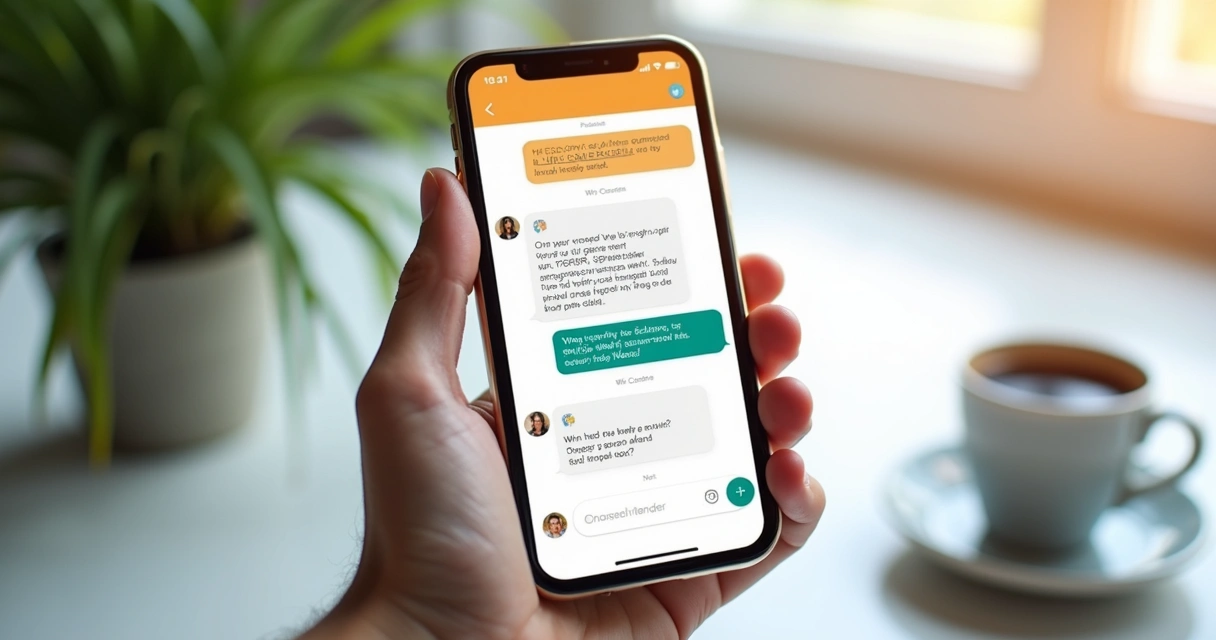
Increasingly, these systems integrate with existing calendars or booking software. That way, double-bookings are avoided, and schedules stay up-to-date, saving headaches for both customers and businesses.
 Sales, lead generation, and e-commerce conversion
Conversational agents aren’t just reactive. Some of the most valuable applications are proactive: qualifying website visitors, directing them to relevant products, and capturing sales opportunities.
- Answering product questions
- Guiding users through configuration or pricing tools
- Offering personalized recommendations
- Collecting contact details for follow-up
I’ve helped companies deploy solutions that pop up when a customer hesitates on a shopping cart page or leaves a configuration tool unfinished. The ability to “nudge” people at the right moment often means more completed transactions and satisfied buyers.
Internal process automation: IT and HR
It’s not just about customers. Automating employee support brings real gains, too:
- Quick password resets or access requests
- Filling out leave or expense forms
- Answering policy questions
- Providing onboarding information
Automated internal assistants free up IT and HR teams, speed up answers, and help employees get back to what matters. In my own work, I’ve seen this lead to not just faster results, but happier teams with fewer distractions.
A good digital assistant is always awake and ready.
 Transforming business operations: Practical use cases
It’s easy to think of these assistants as “just for customer service,” but their role is expanding. Based on the types of challenges Adriano Junior tackles, I’ve seen businesses using automation in creative ways.
Automating onboarding and training
Onboarding used to mean sitting through endless presentations. Now, digital solutions guide new hires step by step:
- Delivering tailored welcome messages
- Assigning and explaining training modules
- Answering “who-do-I-ask” questions
- Checking completion status and providing reminders
This automated guidance gives new employees a smoother start, while reducing HR’s burden. It’s one less thing for busy managers to handle, and it keeps everyone in sync.
Assisting in compliance and policy management
Regulatory requirements change all the time. Businesses need ways to ensure staff get up-to-date information, fast. Digital assistants can answer compliance questions, guide employees through required steps, and keep logs for auditing.
- Providing quick access to policy details
- Helping complete compliance forms
- Notifying about upcoming training
- Tracking who has acknowledged policy changes
Consistency is quietly achieved with smart automation.
Streamlining IT support and troubleshooting
IT helpdesks handle floods of similar questions daily. Automated solutions handle first-line requests, triaging issues or guiding users through troubleshooting:
- Network connectivity problems
- Software installation guidance
- Password resets
- Common fix-it steps
With automated triage, human experts spend time solving real problems, not answering the same “how do I reset my password?” question ten times a day.
 Benefits businesses see: Saving time, improving satisfaction
Most of the leaders I work with initially ask about cost. “Will this save us money?” It’s a fair question. From my experience and the research I’ve reviewed, the answer varies, but the potential is significant.
- 24/7 availability: Digital assistants never sleep, which enables around-the-clock support.
- Lower transaction costs: Automation reduces the need for large customer service teams, especially for routine questions.
- Consistent answers: Everyone receives the same high-quality response, without inconsistencies.
- Higher satisfaction: Studies, such as the GSA use case at USA.gov, show a high task-completion rate and positive user feedback when digital agents are implemented correctly.
- Scalability: Handling thousands of queries at once is straightforward compared to scaling up human teams.
Everything I’ve learned from successful digital transformations, like those I help clients achieve, tells me that prioritizing user experience and adapting to real-world needs are key to reaping these benefits.
Customers value quick, clear answers—no matter who gives them.
How digital assistants integrate into business systems
Integration is where things can get tricky or, honestly, delightful. The best solutions aren’t just bots living in a chat window on your homepage. They’re connected to the systems your staff already use, making life easier for both users and operators.
Best practices for connecting with CRM, marketing, and more
- Customer Relationship Management (CRM): Automated tools can log chats, update customer records, and pull up relevant details about users on the fly. This ensures each interaction is informed by previous ones.
- Marketing platforms: Bots can register leads, nurture contacts via follow-ups, or segment users for targeted communication. Integration means real-time updates, not hours waiting for a data sync.
- Email and ticketing systems: Automated agents can create support tickets for unresolved issues or send emails with status updates, reducing manual entry.
- Calendar tools: For scheduling, direct access to company calendars prevents conflicts and streamlines booking.
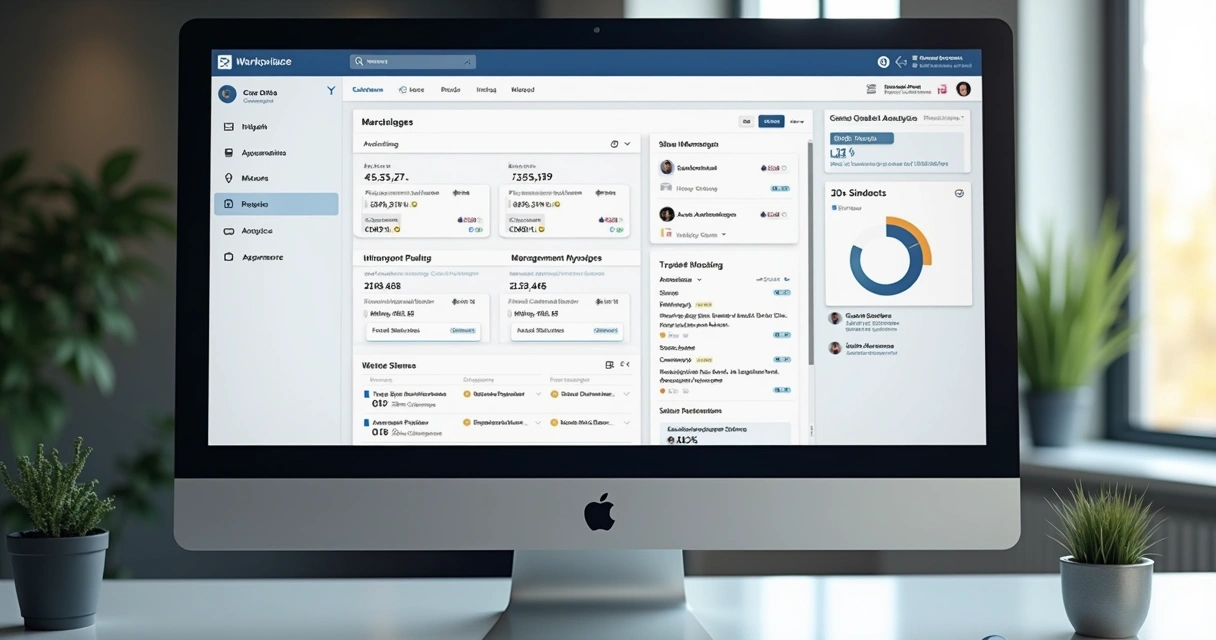
Integration also increases analytical power, letting managers track patterns and adjust strategies quickly. From the projects I’ve delivered at Adriano Junior, it’s clear: businesses that link digital assistants with their core systems see the strongest returns.
 Connecting with existing tools: An iterative process
Integration is rarely one-and-done. You start with what’s most urgent, then connect new systems as needs grow. Sometimes you only need website chat. Sometimes integration with payments or inventory is needed. My advice? Start small, build fast, and iterate. Every step adds value if it aligns with a real business goal.
Generative AI: Improving quality and continuous learning
The leap from rule-based, pre-programmed answers to adaptive, generative responses is as dramatic as moving from landlines to smartphones. Today’s conversational agents can do more than follow scripts; they craft new sentences, adjust tone, and even learn from every interaction.
Generative AI allows systems to “write” custom answers based on user queries, past data, and current business context. It feels like chatting with someone who listens closely and adapts on the fly—except it’s software.
Learning from every interaction
The more a digital assistant “talks,” the smarter it becomes. Machine learning algorithms identify which answers work, which confuse, and which encourage customers to take action. Updates happen continually, often automatically.
The best assistants never stop improving.
Handling unusual or complex scenarios
Even the most robust scripts can be stumped by an unexpected question. Generative models make it possible to handle curveballs: multi-step orders, conversational backtracking, or offbeat phrasings. In sectors like finance and banking, this has driven major improvements in service, as recent research published on NCBI demonstrates.
Challenges: Data privacy, security, and implementation
No technology arrives without challenges. As someone who builds these solutions, I know there are risks and obstacles that need attention from the start. The top concerns usually fall into three categories.
Protecting data and privacy
Every conversation can include sensitive data—names, addresses, even payment details—so security must be prioritized. Good solutions mask or encrypt data, limit access to authorized personnel, and purge unnecessary records regularly.
Data privacy laws such as GDPR or CCPA add extra layers: user consent, the right to erasure, and audit trails. The more seamlessly your system integrates privacy controls, the less likely you’ll face regulatory pitfalls.
 Ensuring transparency and compliance
Automation only helps if people trust it. That means being clear about when they’re talking to a machine—and recording how decisions are made. Businesses in finance, healthcare, or government, for example, must meet strict compliance standards. Automated logs can help, but only if the design is deliberate.
Implementation: Practical hurdles
Even small businesses can adopt digital assistants, but preparation is key. You need clear goals, well-structured data, and enough oversight to make sure things work as planned. According to an article by the U.S. Small Business Administration, by 2020 about 80% of businesses planned to use digital assistants for customer service—reflecting the real trend.
But starting is one thing; getting real value takes iteration, feedback, and fine-tuning. It’s easy to rush and end up with a clunky experience. Patience pays off—you need time to tailor conversation flows, test integrations, and collect real user feedback.
Real adoption follows real improvements.
Choosing the right chatbot: A practical guide
With all the types, tools, and promises out there, picking the right digital assistant can feel overwhelming. Over the years, I’ve developed a set of straightforward questions to help clients decide.
What’s your primary business goal?
Are you answering simple questions? Qualifying leads? Automating internal IT tasks? The solution must match your problem. For instance, if your team needs to handle repetitive HR queries, a rule-based model may be enough. If you expect unpredictable questions from a diverse customer base, an AI-powered option makes sense.
How much customization do you require?
Some systems just need a script and a connection to a database. Others require deep integrations with existing software, multi-language support, or unique workflows. Your complexity will dictate your approach.
What level of control and visibility do you want?
Do you want to monitor every answer, or give the system more freedom to adapt and learn? Automated learning saves effort, but sometimes you’ll want strict controls, especially in regulated industries.
How much ongoing support and training is available?
No matter how advanced, all digital assistants need some ongoing attention: reviewing logs, updating answers, adding new features. In my projects with Adriano Junior, I’ve found that periodic review—every few weeks or months—keeps everything on track and in step with business development.
The best solution is always the one that fits your workflow and goals.
Industries adopting conversational assistants
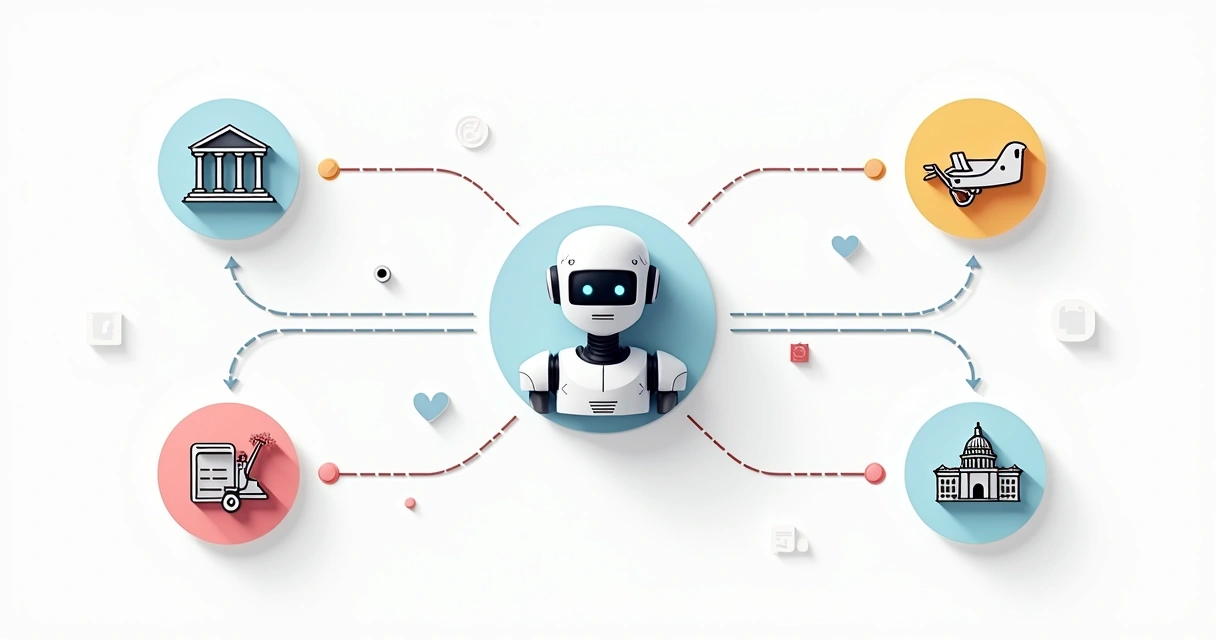
While every sector can benefit, some industries have embraced automation faster than others. According to the Consumer Financial Protection Bureau, about 37% of Americans interacted with a bank’s digital assistant in 2022. Banking, finance, insurance, retail, and tourism are blazing the trail, but others are quickly catching up.
- Banking and finance: Checking balances, flagging fraud, updating profiles, and assisting with transactions. The NCBI research I referenced earlier documents improvements in customer satisfaction and trust via automation.
- Healthcare: Scheduling, medication reminders, symptom checks, and insurance guidance.
- Tourism: As shown in studies by NCBI, travel brands handle huge volumes of post-sales inquiries without delays.
- Retail: Guiding shoppers, providing recommendations, and handling order tracking.
- Government: Answering FAQs, distributing forms, and processing simple requests efficiently, as highlighted by the GSA case at USA.gov.
 But perhaps my favorite stories come from small and midsize enterprises—boutiques, agencies, local service providers. They may start small, but with the right digital assistant, they scale operations and compete with much larger players.
Common mistakes and best practices to avoid them
Even great tools can flop if misused. Over time, I’ve encountered a few predictable pitfalls, and some approaches that consistently bring better results.
The single-use syndrome
Some companies set up an assistant for a single type of request, then leave it alone. When user needs evolve—or business priorities shift—the old flow goes stale. Review and update scripts or AI models regularly, just as you would any other customer-facing product.
Overpromising capability
Digital assistants should be honest with users about what they can and can’t do. Trying to pass a script off as a knowledgeable “expert” only leads to disappointment. Start simple, expand as you gain confidence.
Letting automation replace all human contact
Learning when to route a user to a human is as important as answering their initial questions. The best experiences are those where automation and personal touch complement each other.
Ignoring user feedback and analytics
Websites and apps that improve are the ones whose teams actually listen to users. Collect feedback, review analytics, and watch for sticking points—then fix them. Companies that fail to iterate risk missing out on the biggest gains.
Failing to integrate with core systems
A chatbot that doesn’t talk to your CRM or booking tool isn’t reaching its full potential. Integration takes effort, but the result is always worth it. Over time, as I’ve worked on tailored projects at Adriano Junior, I’ve noticed that the more connected the assistant, the better the customer and staff experience.
Real value comes from listening, adapting, and connecting.
As the trend for digital evolution continues, interest in AI-powered innovation and bespoke process solutions is stronger than ever. If you are considering this journey, avoid common pitfalls and start building a roadmap that leads to ongoing improvement.

In summary: Should you consider automation in your business?
I’ve spent much of my career watching the conversation between people and technology grow closer. What started as clunky scripts is now, with AI and NLP, a fluent tool for helping customers and staff. When adopted thoughtfully and tied closely to a company’s real needs, digital assistants make businesses more responsive, save costs, and unlock growth. Still, there’s always the need for care in design. Keeping an eye on data privacy, listening to user feedback, and updating as needs shift are all part of the process.
The ability to automate repetitive tasks—without sacrificing the human touch—is what makes today’s solutions truly valuable. Integration, adaptation, and honest evaluation are the keys. If you want to power growth with advanced technology, specialists like those of us at Adriano Junior are ready to help you turn opportunity into results.
Let machines handle routine. Let people handle relationships.
If you’re serious about bringing fresh, reliable digital solutions or artificial intelligence into your business—whether for customer support, operations, or entirely new ideas—let’s talk about your goals. Reach out to me at Adriano Junior and let’s see how we can turn your vision into real, measurable progress.
Frequently asked questions about chatbots and automation
What is a chatbot and how does it work?
A chatbot is a program that simulates conversation with users, often within websites, apps, or messaging services. It works by processing user input—usually in natural language—and then responding based on either pre-defined rules or AI-powered understanding. Rule-based versions use scripts and decision trees; AI-based versions draw on machine learning and natural language processing to interpret and answer more complex questions. In many cases, chatbots can complete tasks such as answering FAQs, booking appointments, or processing basic requests entirely within the conversation.
How can chatbots improve customer service?
Chatbots improve customer service by allowing businesses to respond instantly, 24/7, to customer inquiries, handle repetitive questions, and provide consistent information every time. This reduces wait times, gives customers the ability to self-serve, and frees up human agents to focus on more complex interactions. Implemented properly, chatbots raise satisfaction and can increase customer loyalty—sometimes just by being available when no one else is.
Are chatbots expensive to implement?
Costs vary significantly. Simple rule-based models can be inexpensive, especially for handling a handful of common questions, while AI-powered, highly customized solutions require more up-front investment and integration work. That said, many businesses find the savings in labor and improved customer satisfaction quickly make up for the outlay. In my experience, thoughtful planning and right-sizing the solution to your needs are far more important than any one-time price tag.
Which businesses benefit most from chatbots?
Digital assistants provide the greatest benefit to businesses that deal with high volumes of routine questions, booking requests, or repetitive internal processes. This includes sectors such as banking, finance, healthcare, tourism, retail, government, and professional services—though I’ve seen even small local businesses use chatbots to punch above their weight. If your team is ever overwhelmed by basic process or customer queries, you’re likely to see gains from automation.
How secure is customer data with chatbots?
Handled correctly, customer data is extremely secure with modern chatbots. The best solutions use strong encryption, restrict access to sensitive information, and follow strict privacy guidelines (like GDPR or CCPA). It’s wise to ensure your supplier or developer, such as those at Adriano Junior, builds privacy controls and data handling into the design from the beginning. Transparency about data use and regular audits secure ongoing trust and compliance.